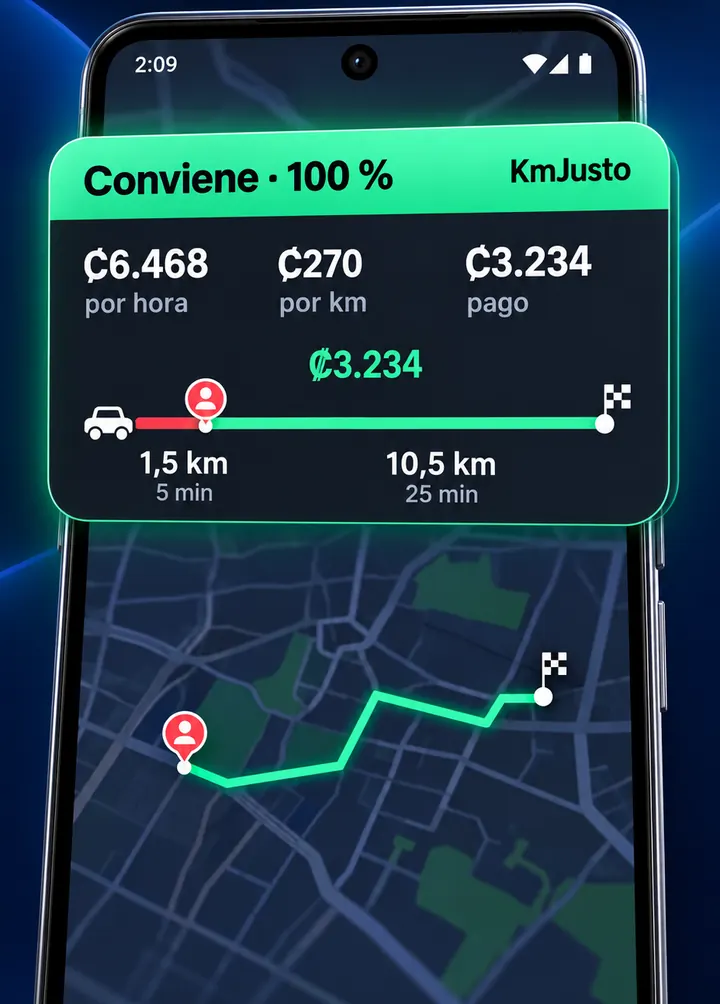
Offer A$6.00
Pickup1 km · 3 minTrip9 km · 22 min
Worth it$14.40/h$0.60/km
Close pickup: almost all the time is paid trip.
FOR UBER, DIDI AND INDRIVE DRIVERS
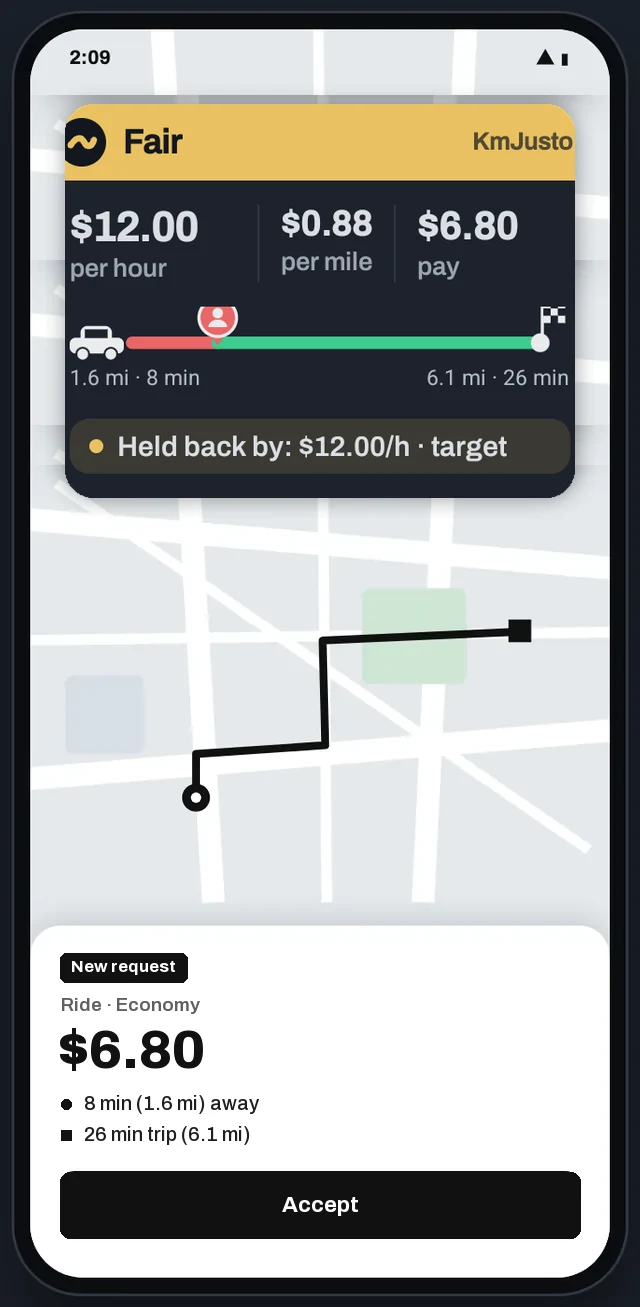
KmJusto reads the offer on your screen and instantly puts a color on top: green, yellow or red, based on your minimums per hour and per kilometer.
 Scan with your phoneand your app store opens
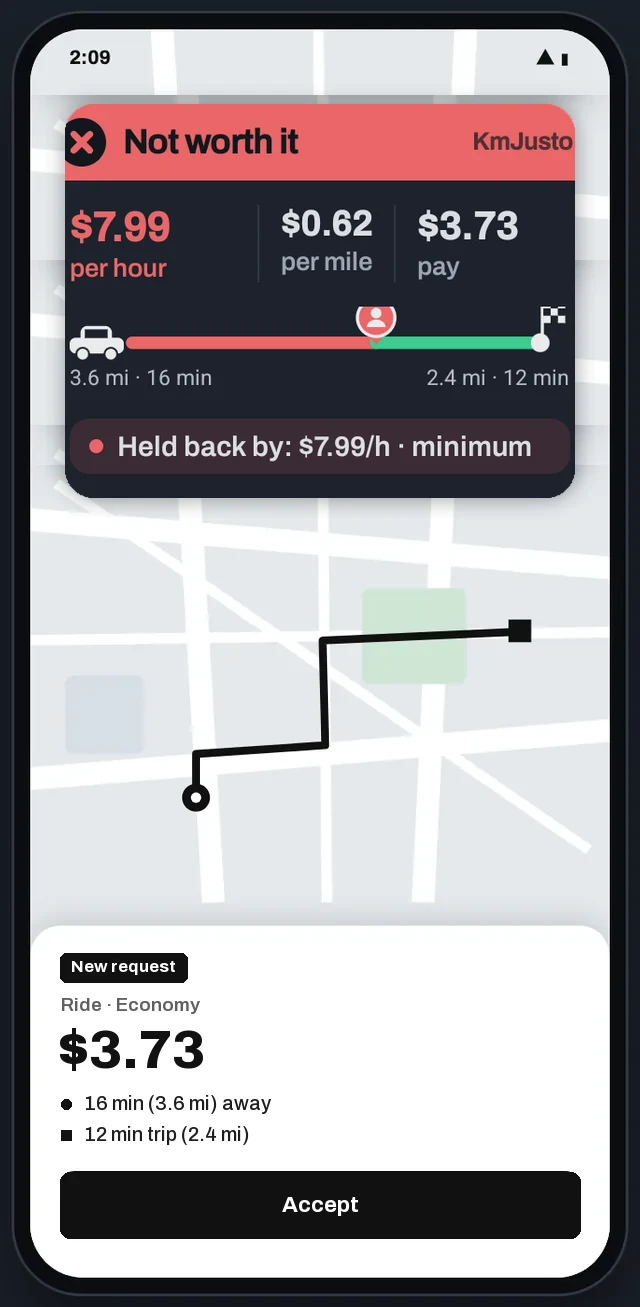
Illustrative example. Colors change with your minimums.
THE PROBLEM
The app shows the price in big numbers, but what matters is how much you make per hour and per kilometer counting the pickup. Doing that math in 10 seconds, with the car moving, isn't fair.
Close pickup: almost all the time is paid trip.
Almost half the distance is driving to the pickup, unpaid.
Example with minimums of $9/h and $0.40/km. KmJusto does this math for you on every offer.
HOW IT WORKS
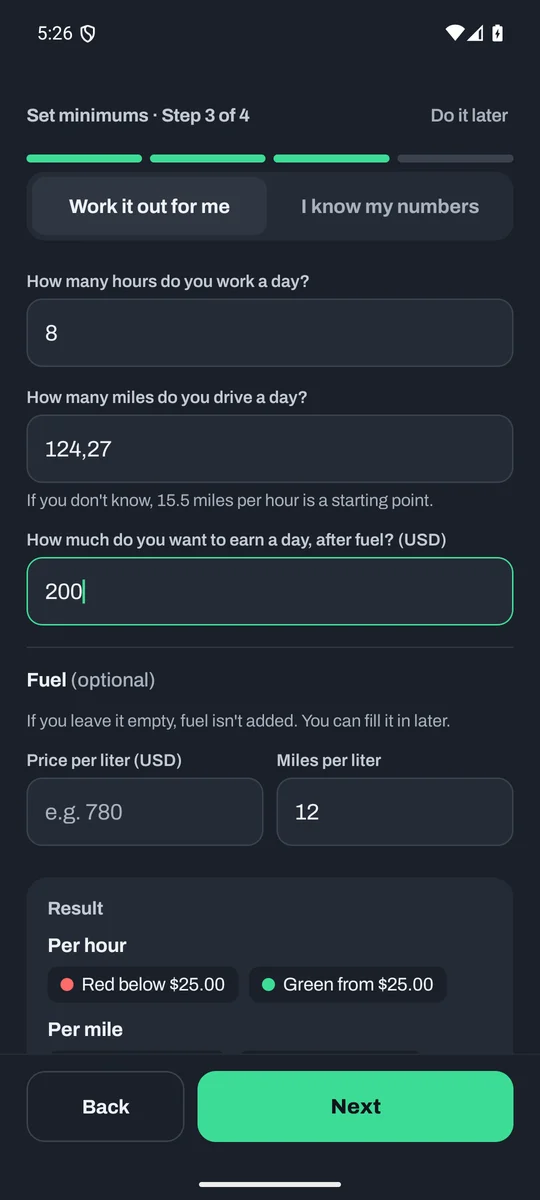
A 3-step assistant works out your minimums from your hours, kilometers and what you want to keep each day. Or set them yourself.
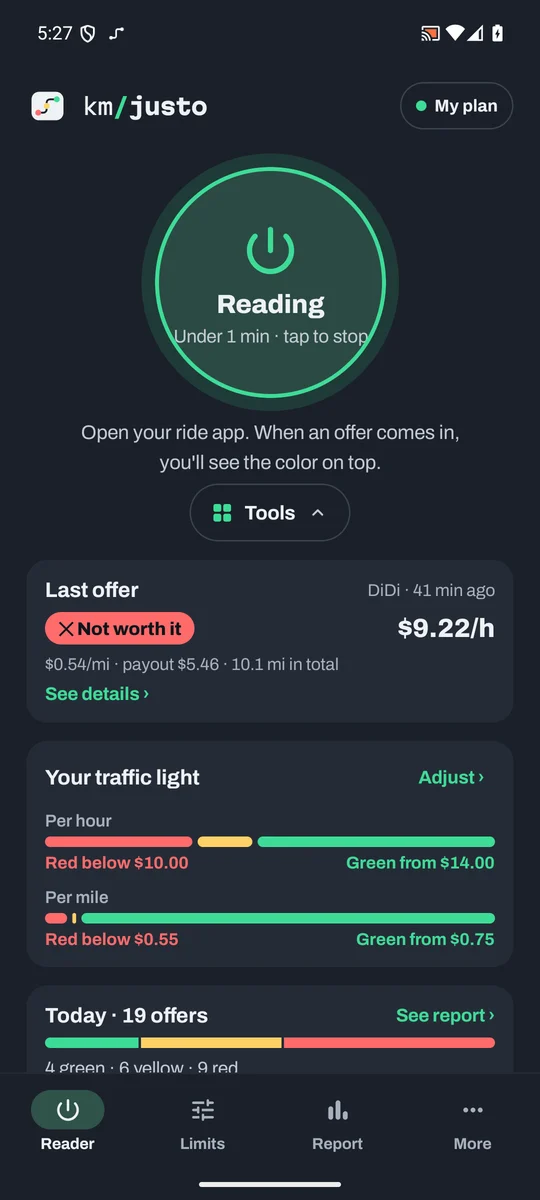
One tap and you're back in Uber, DiDi or inDrive. KmJusto watches the screen for offers without touching the ride app.
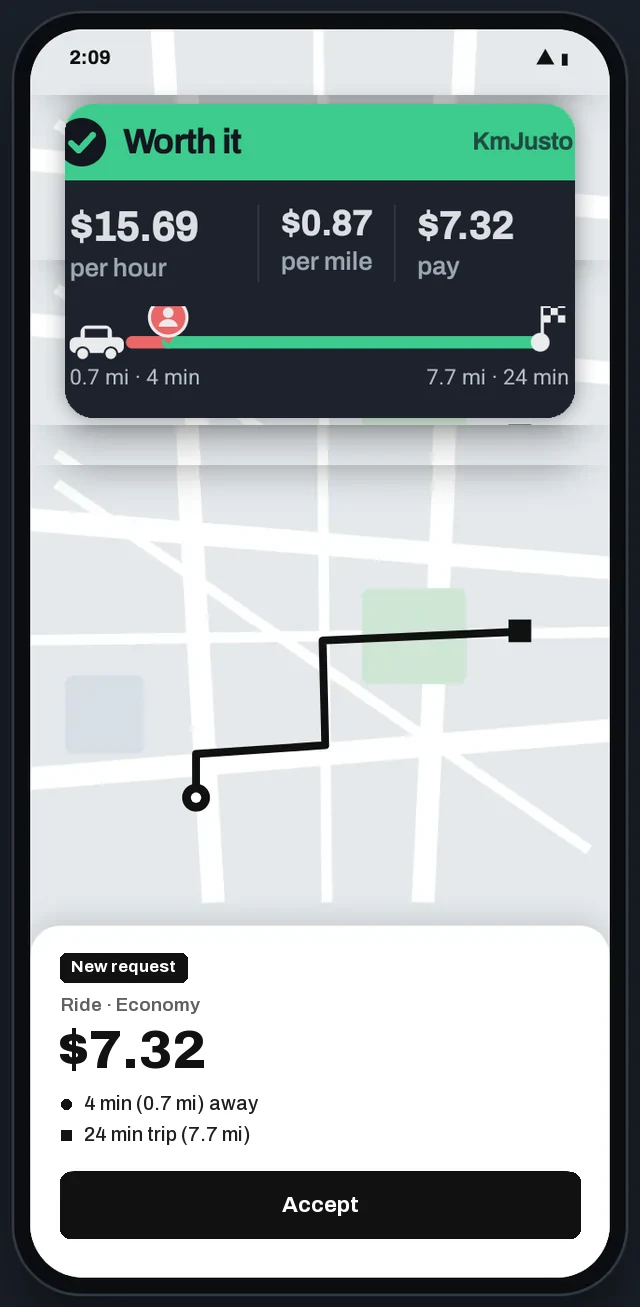
The bubble appears over the offer: color, earnings per hour, per km and why. If you like, with sound only on green.
ZONES YOU AVOID
There are areas where you don't want to pick up or drop off anyone. Tell KmJusto which ones: if the offer lands there, the pop-up turns red before you accept.
Type the neighborhoods or areas you avoid. If the pickup or drop-off address mentions one, it shows red. Case and accents don't matter.
Pickup in avoided area: Downtown
For when the offer only shows the street, not the area. Find the zone and mark it: a circle for a neighborhood, or a shape by tapping its corners for long areas.
Pickup in avoided area: South shore
You always decide whether to accept. KmJusto never accepts or declines trips.
FEATURES
Fit KmJusto to your car and the way you work, with the car stopped. On the road, the color tells you whether the offer is worth it.
Minimum and target per hour and per km. Below the minimum, red; from the target up, green.
Enter the fuel price and your vehicle's mileage: KmJusto subtracts what each km costs you in fuel. Don't know the mileage? AI works it out.
By name or marked on the map. If the pickup or drop-off lands there, it shows red.
Minimum fare, maximum pickup or maximum trip. Leave them empty if you don't need them.
Card or pill, with or without the route line. Size, transparency, time on screen and position.
Sound and vibration by color. Recommended: sound only when it's green.
Tap the last offer for the details: payout, per hour, per km, pickup, trip and why it got its color.
How many offers you saw, which colors, your best hour and why some were red.
Your day in plain words, and an assistant to ask about your numbers.
Enter km and minutes and it tells you what to charge, from your minimums and your vehicle cost.
Colones, dollars and other currencies; km or miles; Spanish or English.
PRO WHAT THE TRAFFIC LIGHT DID FOR YOU
KmJusto Pro replays your shift twice with the same offers you saw: once taking the first one that came, once letting the red ones go. The difference is what the traffic light earned you, with fuel and wear already subtracted.
What the traffic light did for you · Today
+$12.60more than taking any offer that came
Skipped 4 red trips: 1.6 h of driving for little.
Illustrative example. The math uses the offers you saw; KmJusto doesn't know which ones you accepted.

YOU'RE IN CHARGE
It never accepts or declines trips, never touches the ride app and never handles your account. It only reads what's already on your screen and shows you clear numbers.
Set it up with the car stopped. While driving, the color and the sound are enough.
PRIVACY
The capture and the offer text are processed on your phone and discarded right away.
Screenshots and addresses are never uploaded to KmJusto. Only numbers like fare, km and minutes, for your reports.
Turn it on and off with one tap. Set how often it checks the screen to save battery.
PLANS
KmJusto is free, with 10 reads a day. To get you started, the first 7 days include all of Pro, no card needed. Pro is for the traffic light all day, your numbers and AI; in the app you'll see the price in your currency.
The traffic light every day, at no cost.
Freeforever
No card. The first 7 days come with all of Pro.
For a full shift. Everything in Free, plus:
US$4.50/ month
or US$10.99 every 3 months
Reference prices in US dollars. Compare plans in detail
FAQ
START TODAY
Free forever, no card. Go Pro only if you use it all day.
On a computer? Scanand your app store opensQuestions? Message us on WhatsApp +506 6126-1958